6 Ways to Fix Cannot Retrieve Tweets at This Time
Now you can easily resolve the constant error you have been facing while scrolling through Twitter and get back to tweeting in no time. Make sure you have the latest version installed before starting out with these fixes.
Method 1: Remove App from Background
The simplest way to resolve a brief issue on any app is by restarting it. Time-consuming tasks can be offloaded by removing them from the background apps. Simply press your home screen button and swipe up on Twitter to remove it. Now, you can reopen the app.
Method 2: Disable VPN or Proxy
Since VPN and proxies hide your IP address and change locations, it may cause Twitter to glitch due to privacy issues. Therefore, if you have them enabled, it is advisable to turn them off while using the app.
Method 3: Check Daily Tweet View Limit
Twitter has daily view limits imposed on users to view tweets. If you get the ‘Cannot Retrieve Tweets at This Time’ error, chances are you have fulfilled your limit. Here are the requisites of how many posts a user is allowed to view:
Verified Users: Can view up to 10,000 posts per day. Unverified Users: Can view up to 1,000 posts per day. New Unverified Accounts: Can view up to 500 posts per day.
Method 3: Correct Date and Time Settings
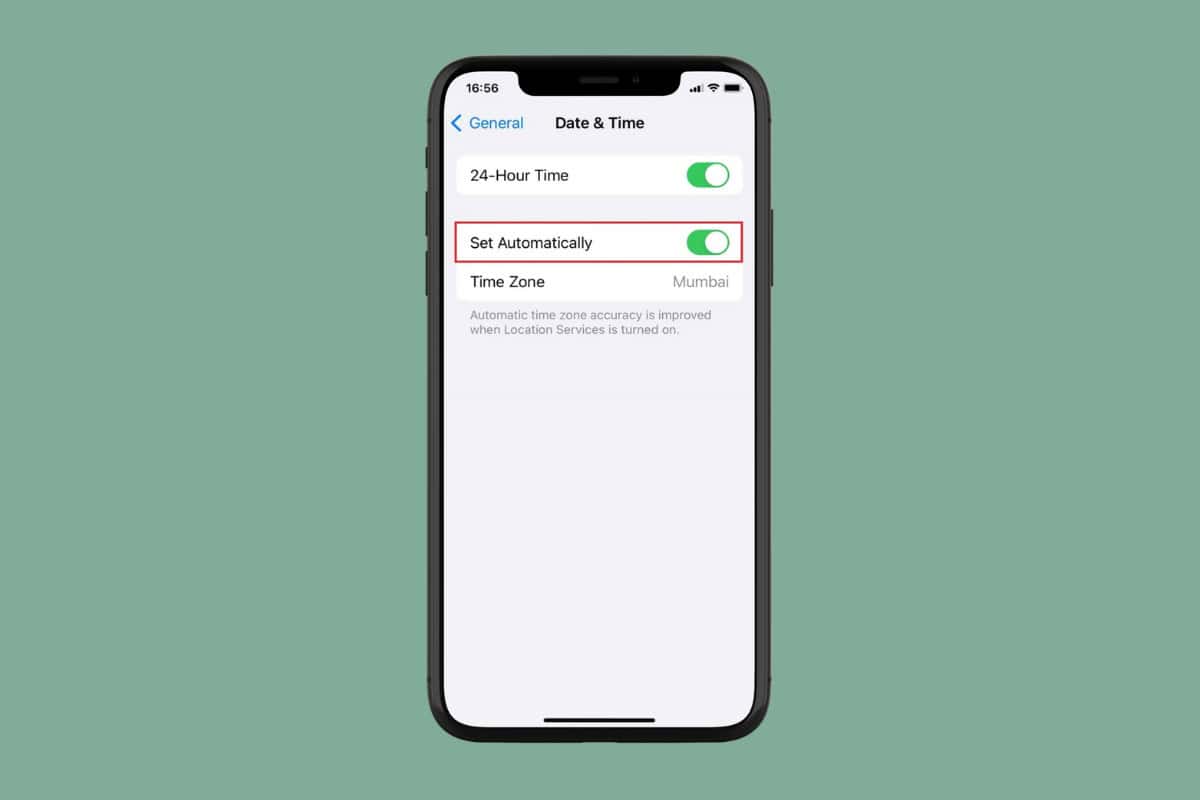
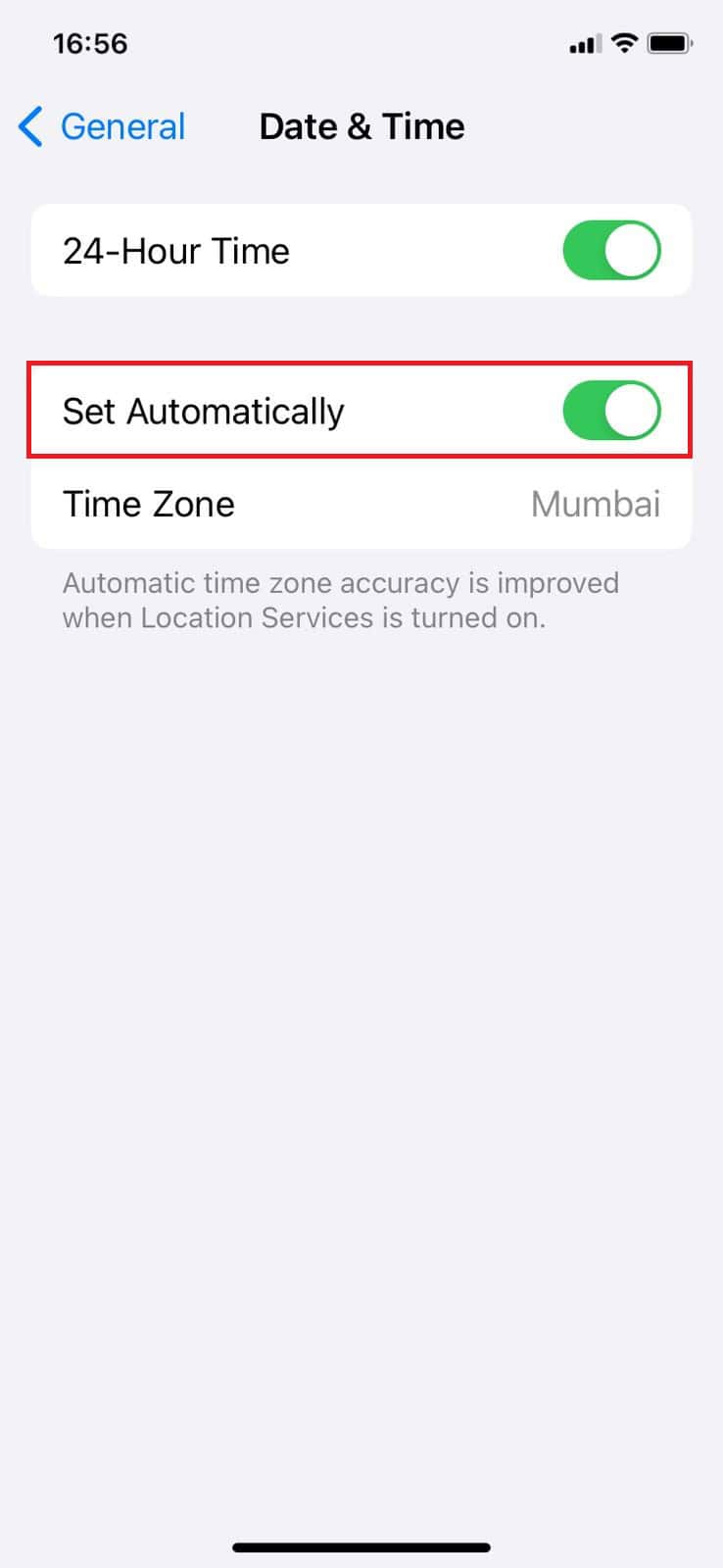
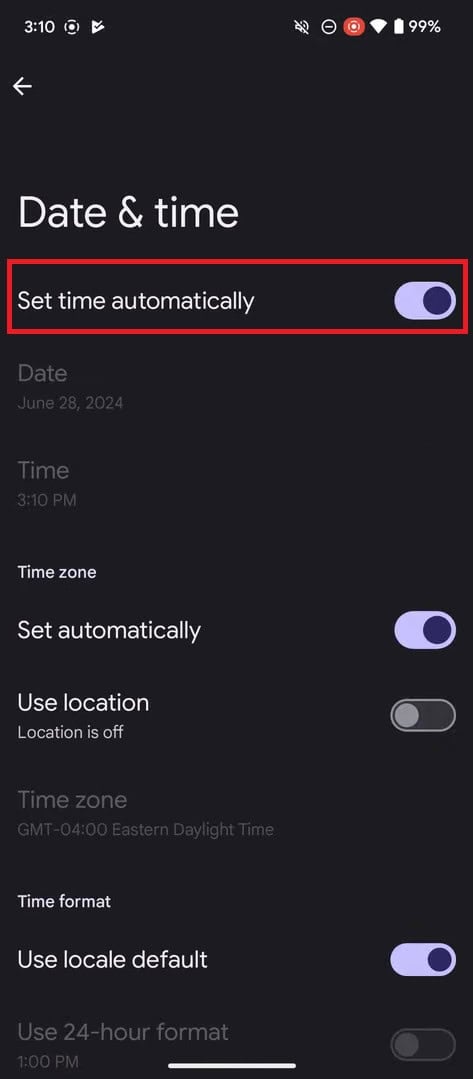
Even having the wrong date and time settings on your phone can cause Twitter to shut down its services. Option 1: Via iPhone Follow the steps mentioned below to set up automatic date settings from your iPhone:
This way, you will be able to view tweets. Option 2: Via Android Similarly, here’s how you can do the same from an Android smartphone: Note: Not all Android devices have the same interface since they vary from manufacturer to manufacturer. Hence, ensure the correct settings have been selected according to your device’s language.
Your Twitter should start working properly.
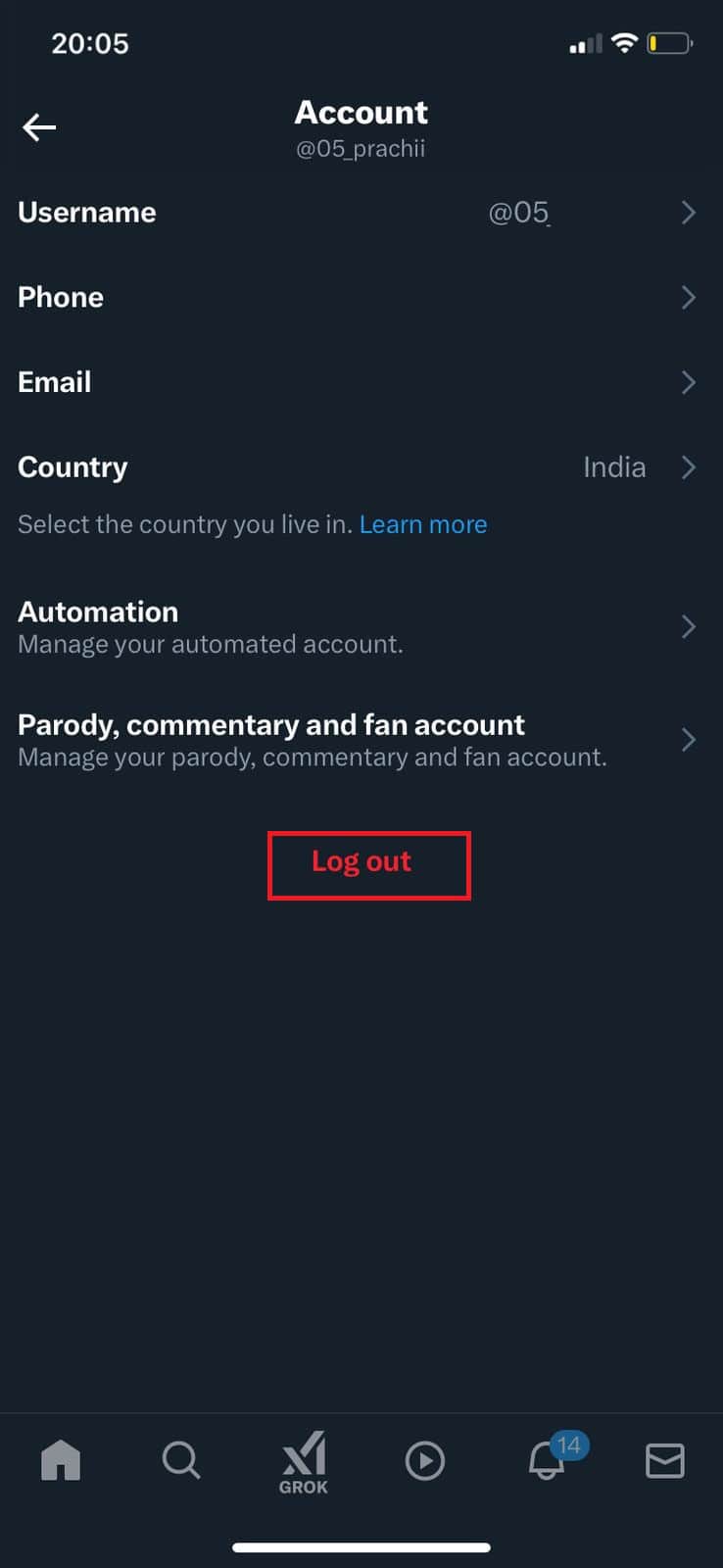
Method 4: Sign out of Twitter
You can also log out and re-login to solve any software issues:
Log in after some time and check if you can see tweets.
Method 5: Use X on a Different Device or Browser
You can also try logging into your account from another phone or desktop if you suspect your smartphone may be facing issues.
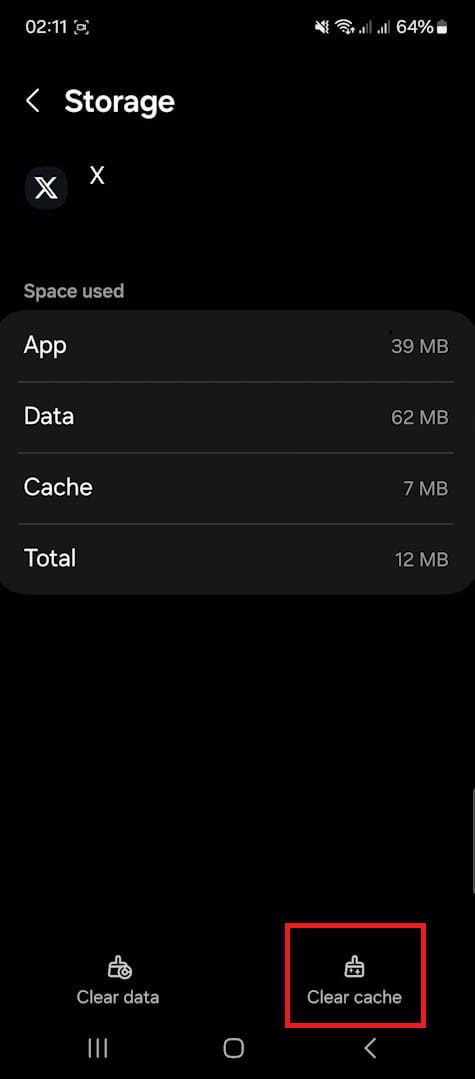
Method 6: Clear App Cache
Lastly, Android users can clear their app cache to free up some storage space and processing time for Twitter:
Your problem should be resolved. Also Read: How to Change Birthday or Birth Date on Twitter Now that you have checked out these 6 ways to fix “Cannot Retrieve Tweets at This Time”, you should no longer be facing any issues. For more helpful tips and tricks, stay tuned, and feel free to share your suggestions in the comments below.